Manage your orders in bulk
Changing the status of multiple orders in bulk
Paired up with the orders status filtering tool, you can also change the status of your orders in bulk.
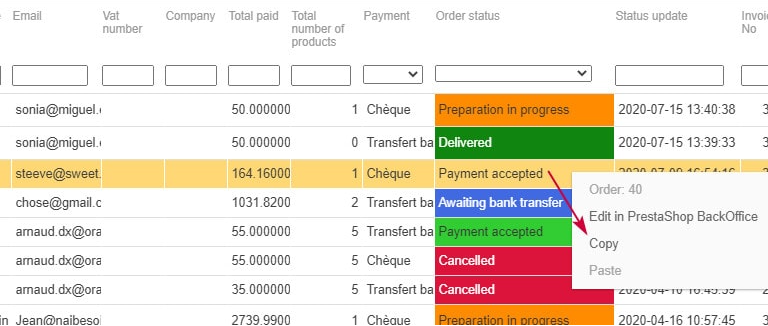
Indeed, using the same principle as modifying prices on products, you can modify order statuses in bulk in just a few seconds using the copy/paste feature.
Select the order status you want to apply, right click > copy
Select the other orders you want to change > right click > paste
And that's done!
Here is the video :
Downloading invoices and delivery slips in PDF format in bulk
Within the he Orders interface in Store Commander you can download multiple invoices and delivery slips in PDF format using the bulk download option, located on the toolbar :
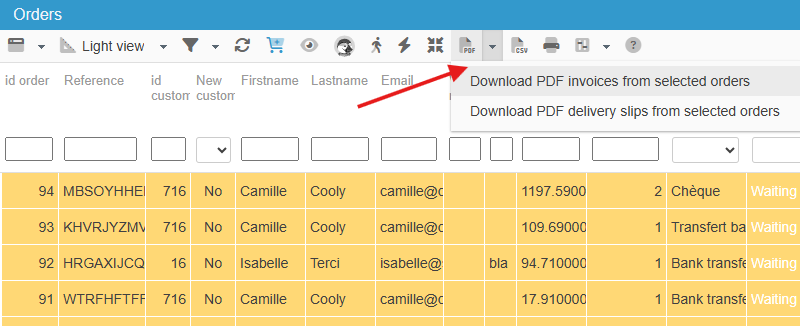
First select the orders in the grid and then select the download option. This will create a PDF file with all invoices/delivery slips for the previously selected orders.
The option allows you to download invoices and/or delivery slips in PDF format of all orders you would have previously selected in the panel.