Improve your order Picking
What can I do with the Picking View?
The star feature integrated to Store Commander with the Picking View will save you hours of work every day. Indeed, here are a few examples of what you are going to be able to do.
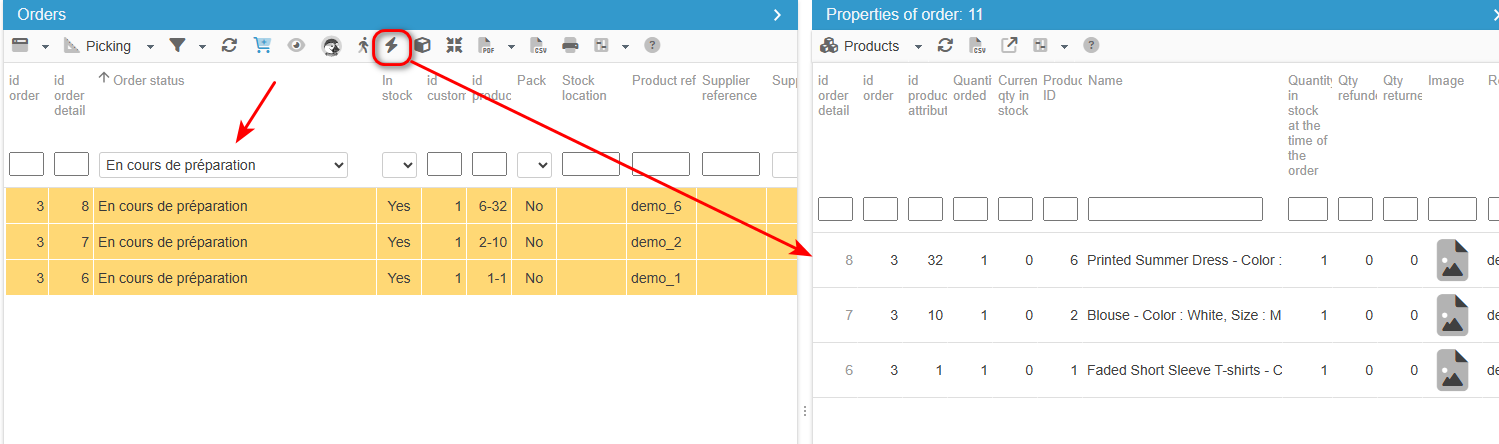
Have a global view of all ordered products for each order placed
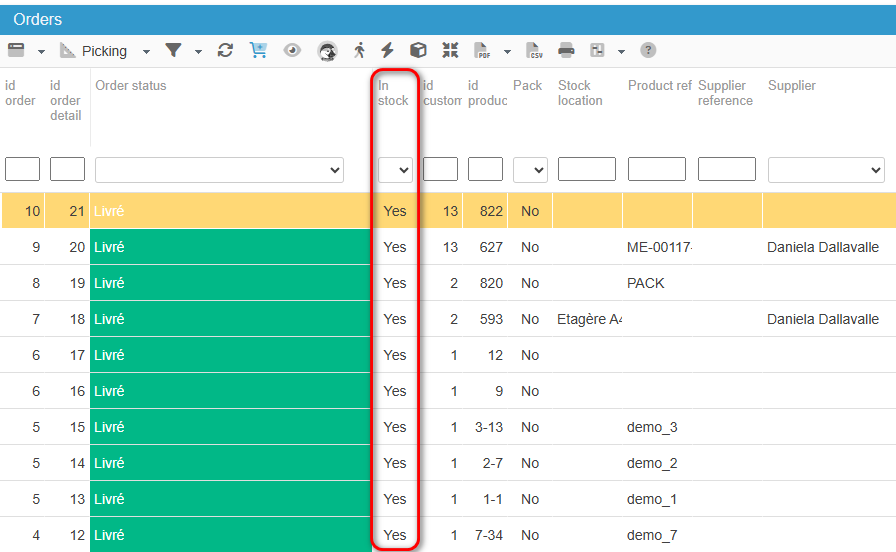
Visualize if orders can be shipped totally or partially in an instant using the “In stock” column :
Filter your orders
According to your specific needs by product and attribute, by order status, by their precise location in the warehouse, even to know exactly where to pick up items in the warehouse to save invaluable time...
Viewing customer messages related to orders
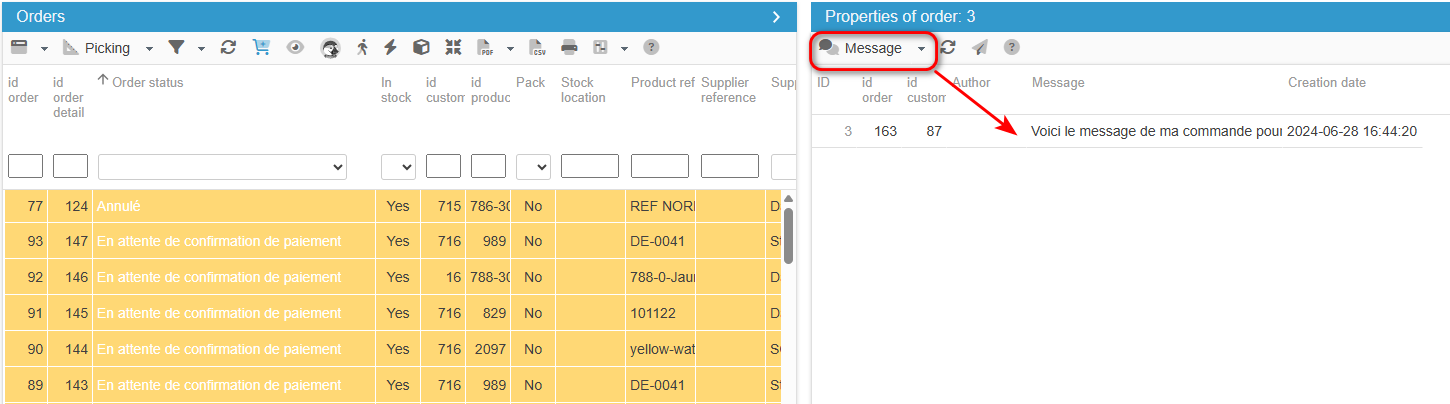
The Orders interface includes a 'Message' column as well as a Message panel, so that you can quickly see if there are customer messages related to an order, and what that message is.
In the central column, in all views (except the Large view) you will find a 'Message' column. Whenever a customer includes a message within his/her order, the cell will be red - so that you can spot it straight away.
And you can see the message in the right handside column, under Message.
You can then use the Customer Service interface in Store Commander to reply to customer messages.