Order tracking and processing
Lost parcel... How can I find the corresponding order fast?
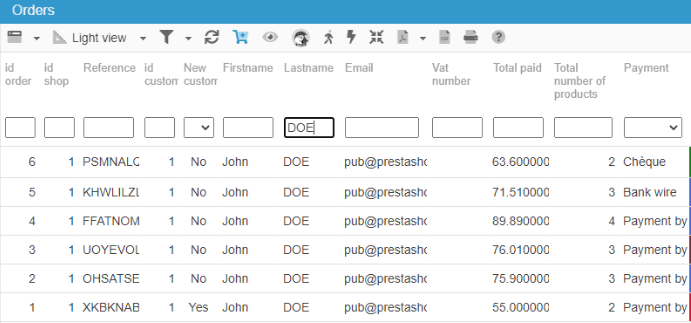
If you need to find a order fast following a call from a customer, use the filtering tool in the Orders interface and search for the customer name.
The corresponding order will then be displayed instantly.
Identifying orders with a specific status
The Order interface in Store Commander includes a powerful filtering tool designed to save you time when working with orders.
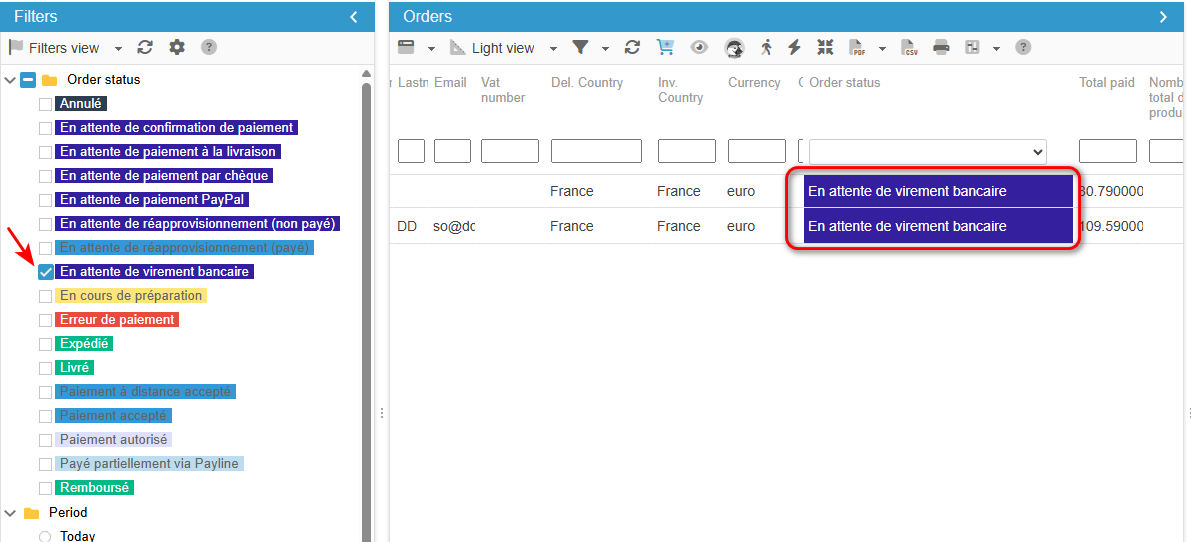
For instance if you need to view and work on orders with a specific status, simply select the concerned status in the Filters panel on the left handside.
You can also use the filtering tool within the various views, in the column 'Order status'.
Coupled with the customer message function, you'll be able to relaunch payment requests in record time!
How can I check stock on ordered products?
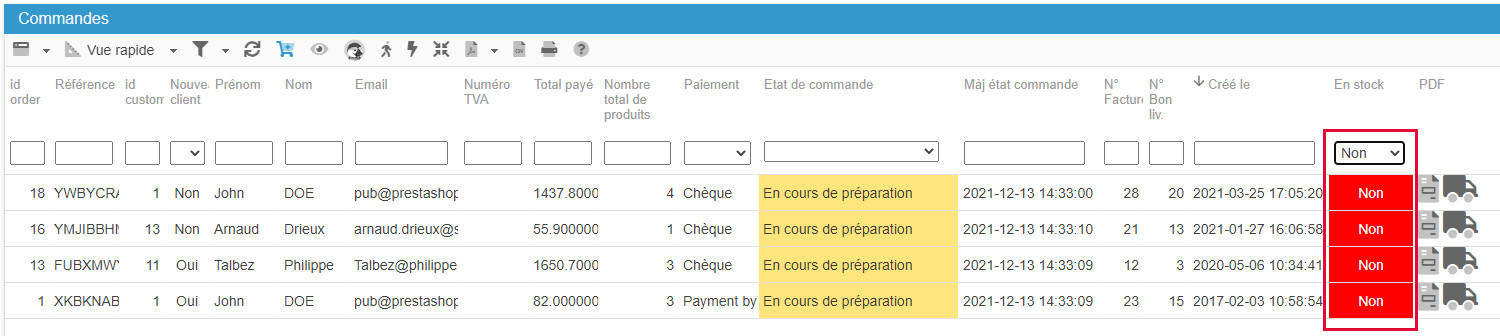
If you authorized orders of out of stock products, you can see in the blink of an eye the orders including products with 0 quantity.
In the Sc Order interface, there's a 'In Stock' column showing Yes/No, and when ordered products are not in stock, the you'll see No in red:
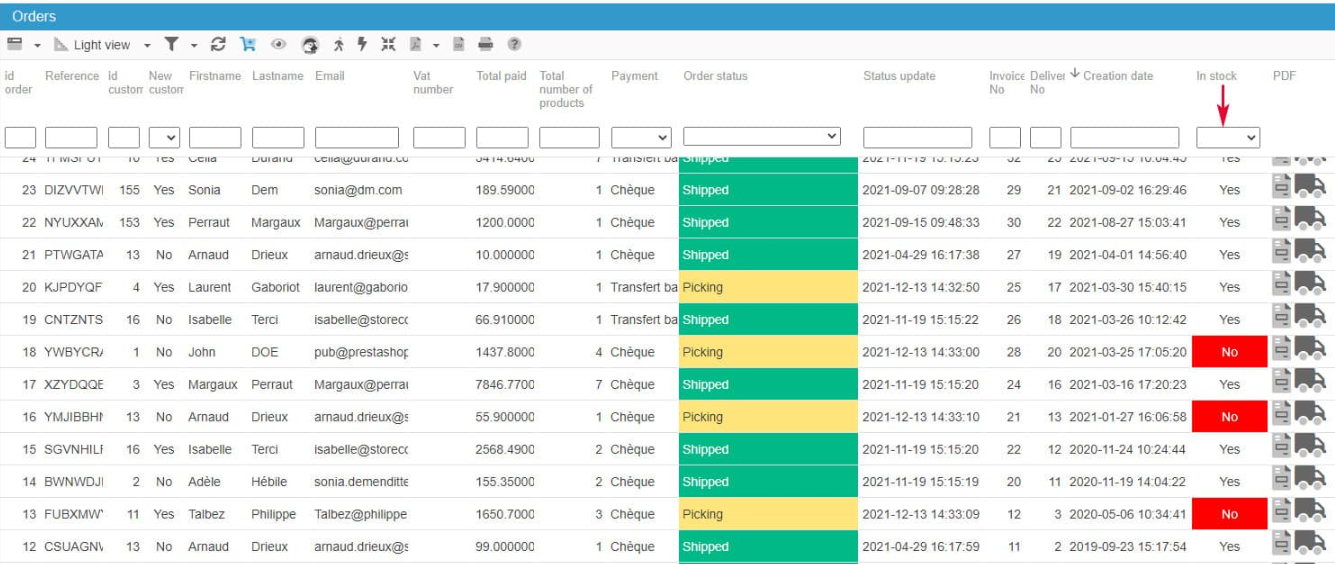
You can even filter this column to see only concerned orders :
And view the details in the Product panel in the right handside column :
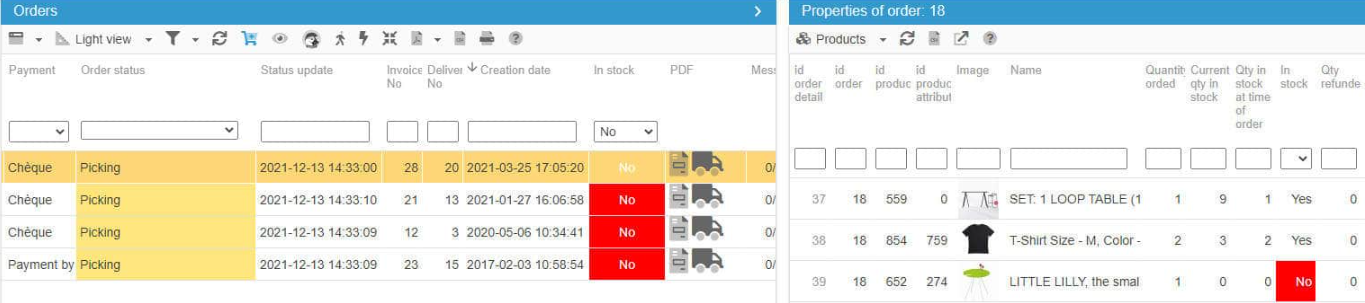
With all this information on one screen, you can manage all orders efficiently.
Modifying a customer's order
The Orders interface in Store Commander includes a 'Products' panel where you can modify some data related to an order previously selected in the central column.
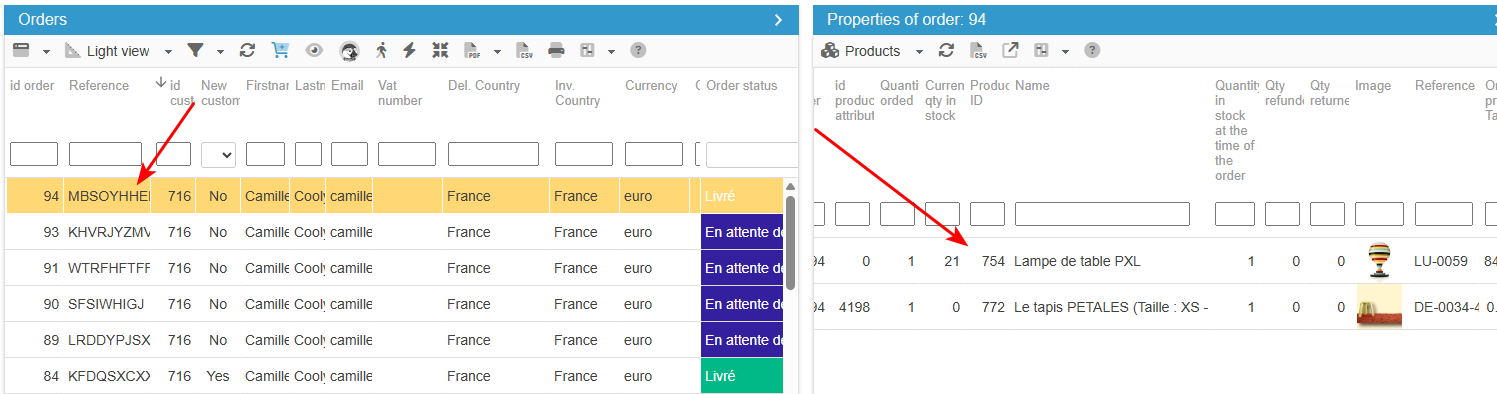
The totals in the 'Large View' will be updated once you refresh the grid.
The invoice will be up-to-date because the PDF creation takes into account the information stored in the database at the time of the PDF download. The PDF file is not stored nor reused.
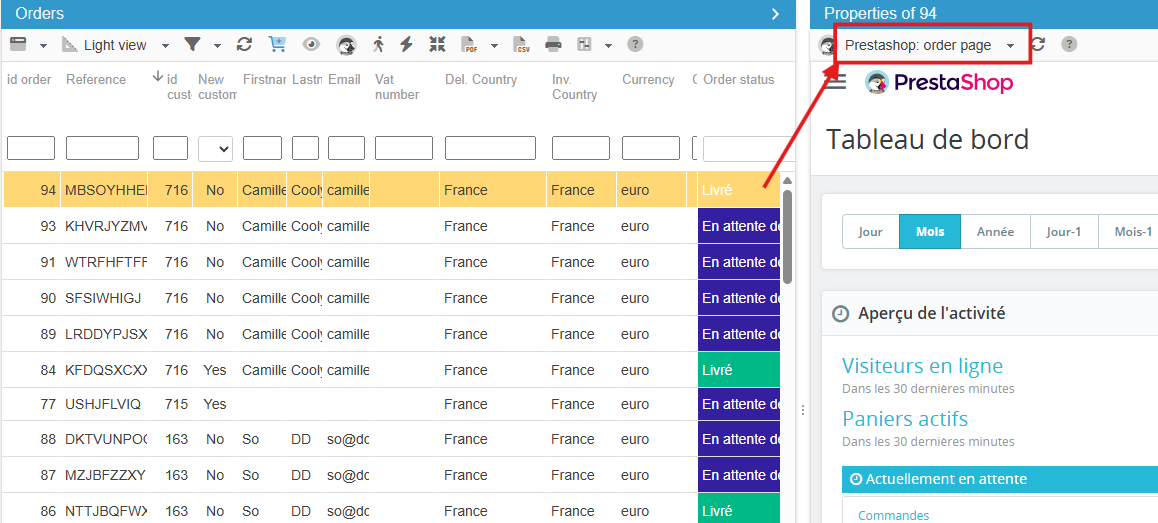
Any other changes to an order can be carried out on the PrestaShop page directly accessible in Store Commander, Properties panel:
Changing order status by products
You can easily change the order status in the Sc Order interface - individually or in bulk - in the various views in the central column, except in the Picking view.
Why?
A status belongs to an order, and can therefore only be modified on the line of an order.
However, the Picking view shows order details, meaning product information, and therefore this view will display a line per product and not a line per order. In this instance, order status cannot be modified.
If you are using our Interface Customization addon, you might have modified existing views, or even created your own views, and order status change does not work either, and this would be because product information is included.
As soon as the field 'id_order_details' is present in a view, then order status cannot be modified. And this can be annoying if you need to change order status according to products.
But there is a solution thanks to our Sc Segmentation addon!
You can create 2 segments:
- One segment "Products" (displayed in the Catalog interface) into which you can add the products you need
- One automatic segment "Orders" that will then displays the orders associated to the products of the previous 'Products' segment.
You will then have the corresponding orders in the Light view of the Orders interface (or any other view that does not include 'id_order_details') and you'll be able to change statuses.
Note that the "Products' segments can be a manual segment : you drag/drop products into it, or an automatic segment : according to a criteria you'll configure in the Segmentation interface.
Viewing customer messages related to orders
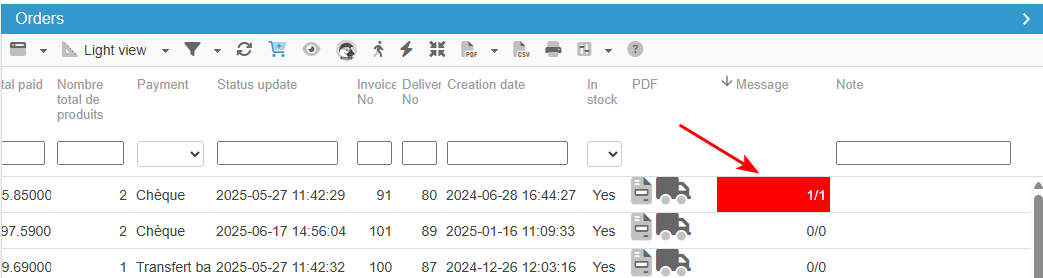
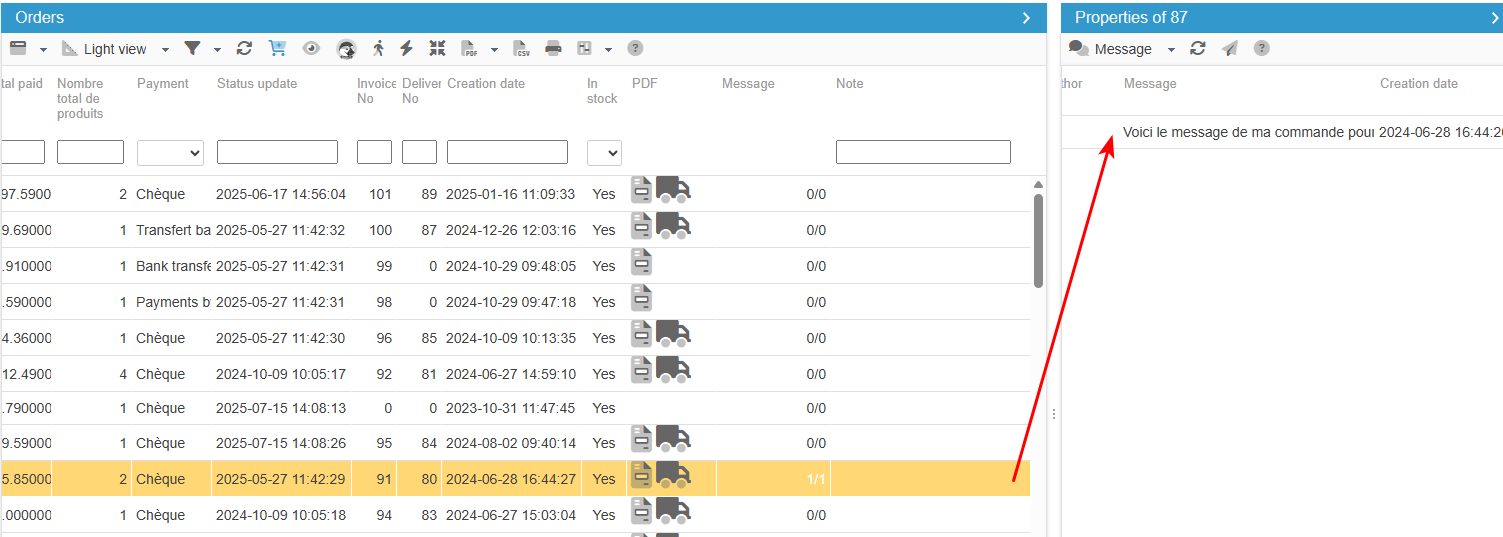
The Orders interface includes a 'Message' column as well as a Message panel, so that you can quickly see if there are customer messages related to an order, and what that message is.
In the central column, in all views (except the Large view) you will find a 'Message' column. Whenever a customer includes a message within his/her order, the cell will be red - so that you can spot it straight away.
And you can see the message in the right handside column, under Message.
You can then use the Customer Service interface in Store Commander to reply to customer messages.