Enhance product visuals with image cropping
Introduction
In the e-commerce sector, the visual quality of products plays a decisive role in the user experience and the act of purchasing. For online shops using PrestaShop, optimising product visuals has become a strategic issue.
With this in mind, Store Commander offers an integrated image cropping tool designed to simplify and speed up the graphic processing of product listings. Thanks to this feature, merchants can easily obtain professional visuals with backgrounds removed, without having to use complex editing software. This tool is part of an efficiency-focused approach, saving valuable time while improving the appearance and consistency of the product catalogue.
✂️ The cropping tool
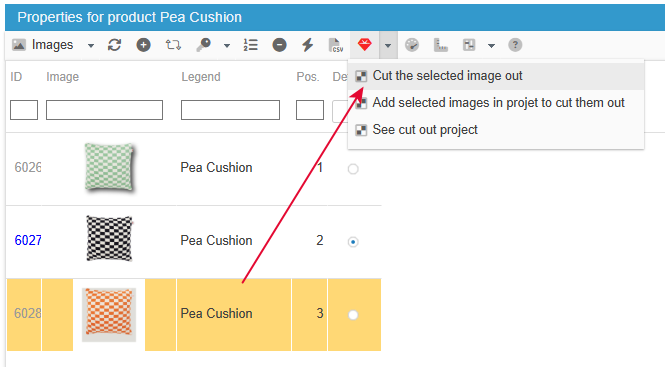
This tool is accessible in the Store Commander image grid and is represented by the “ruby” icon on the toolbar.
Select the line of the image you want to rework and click on the icon to open the cropping tool:
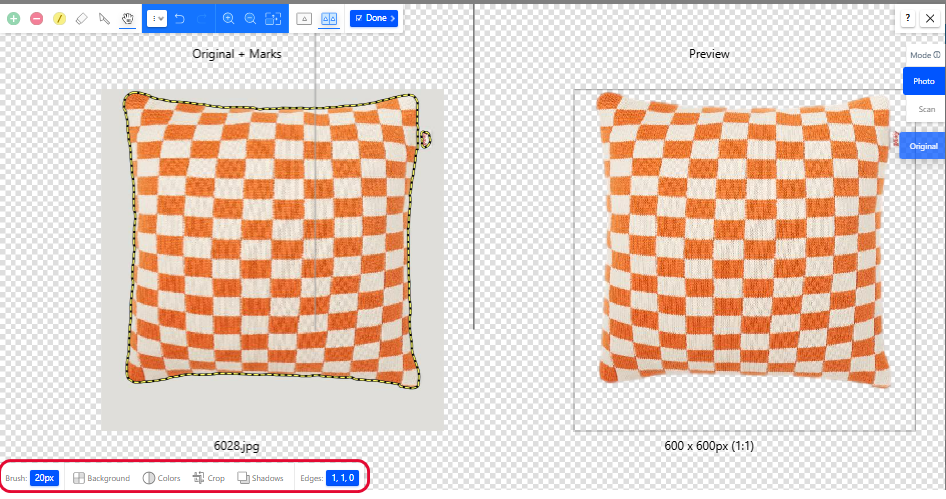
The main function of this tool is to cut out your images. The initial screen will immediately display a preview of your cut-out image.
However, the tool offers other options that allow you to edit your images with greater precision. These options are displayed and accessible at the bottom left of the interface: optimize colours, resize images, add effects such as drop shadows, for example.
📅 Your image project: perfect organization
You can add the images to be cut out to the cutting project, which we have already created for you.
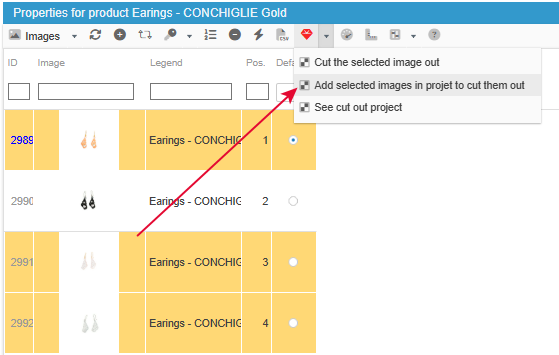
You can then organize yourself by scheduling a day for image cropping in your calendar, for example.
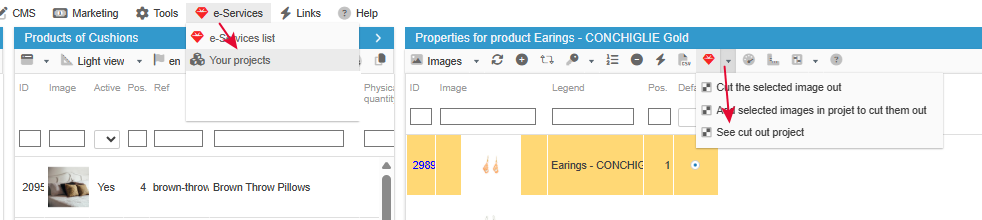
The project can be accessed from the e-Services menu in your SC, or via a shortcut from the image grid.
🎥 The webinar
You can view the replay of this webinar showing you this image cropping tool, available on our website.
The image cutout tool is included in Solo PLUS and MultiStore PLUS plans