Image compression: combine performance and visual quality
Introduction
Store Commander offers a tool to reduce the weight of product images of your shop to its maximum, to improve the loading time of pages for your visitors, as well as boosting your SEO and even reducing the carbon footprint.
Its Advantages
Very simple to use: all automatic, enabled in 1 click
+70% benefit gained
Visual quality to its best
Adapted for very bug catalogs
Your SEO improved: Google robots will have more time to index more pages of your site
Site pages upload time improved for your visitors, which is even more obvious on mobile phones
Electric and network resources usage reduced, that better for the planet
Backup sizes reduced, no need to get an oversize hosting plan
Image properties safe: they're deleted off our servers after 30 minutes maximum
Catalog data integrity safe: this is not a CDN technology that would make you loose control of your own data
How does it work : 3 step process
Activating the image compression service takes just three steps, making it a very quick and easy process.
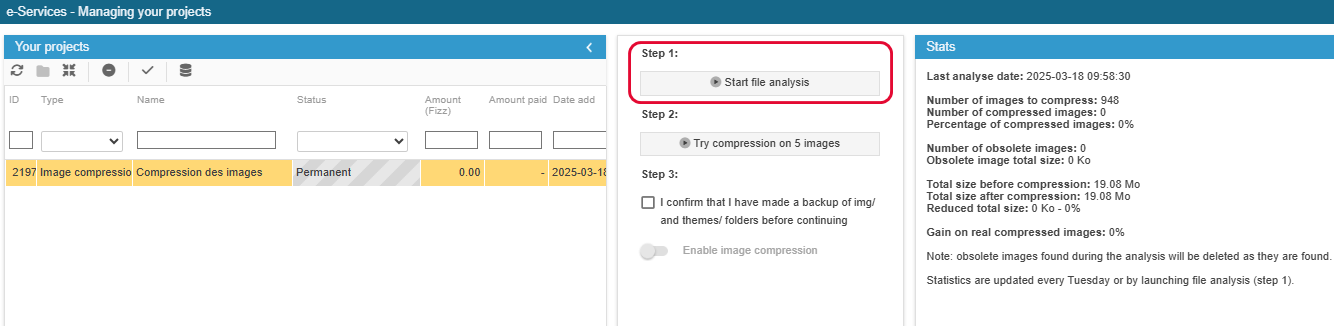
Step 1: image file analysis
No images are modified. Statistics will inform you on potential benefits. We'll use these stats to tune the best compression method to apply.
Once the analysis has started, Store Commander will list images stored on your shop to create a single repository. Statistics based on this repository will be displayed, together with the progress of number of compressed images and the benefits gained. The analysis will take just a few minutes.
Step 2: test on 5 images
Compression results displayed on 5 test image files. No files on your shop are modified at this point.
Store Commander will compress 5 image files corresponding to your best sellers. Products are not modified: test images are stored in a temporary folder on your shop /img/tmp/.
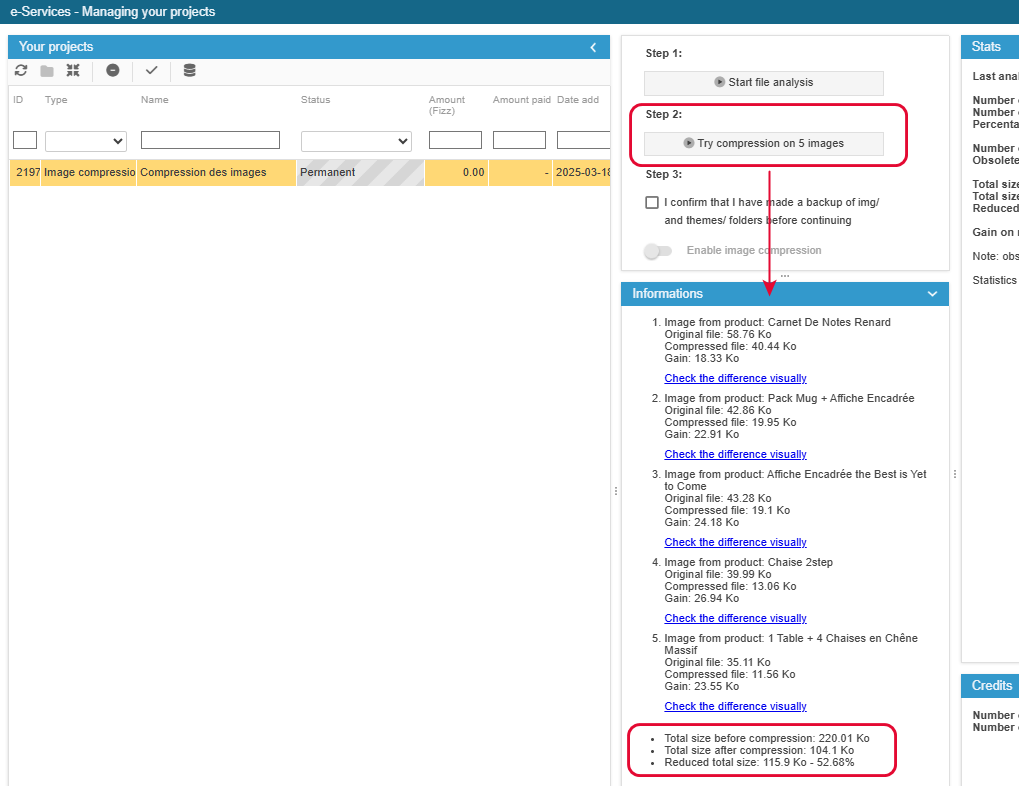
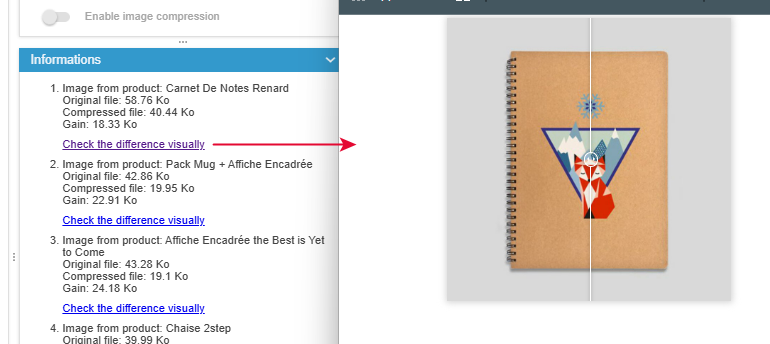
This test allows you to check the visual quality of images with the comparison tool: move your cursor vertically to easily compare the original image with the reduced one. You can't see the difference? That's normal :)
Step 3: image compression
Image files compression going live: part of your files are compressed every day.
Every Tuesday morning, a new analysis of your image files will run automatically to update the list of files to compress.
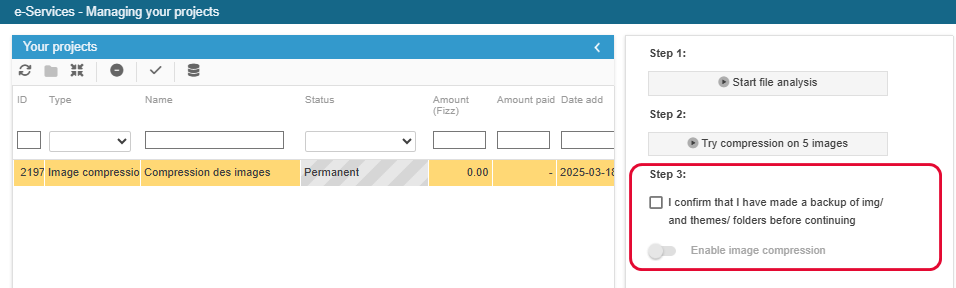
Once you have activated image compression, nothing will happen! And that's normal too. Store Commander will start compressing image files starting by the most important/relevant every night, avoiding the use of the server resources, which could impact your visitors whilst browsing your site.
Obsolete files corresponding to old formats used by PrestaShop will be automatically deleted, freeing some space. As a technical example: 'small' image format has been replaced by 'small_default' format in the latest PrestaShop versions, and therefore 'small' has become obsolete.
Some frequently asked questions
🎥 The webinar
You can view the replay of this webinar showing you this image cropping tool, available on our website.
Also...
Providing you with this tool is also to reduce the carbon footprint. We'll soon be displaying the volume of data compressed, and we're hoping to find a way to calculate the gain on the CO2 unused (if you know a formula, please do let us know!).