Making the most of automatic segments
Introduction
An automatic segment is a smart folder that will contain data matching the criteria defined in its configuration. This data can be products, orders, or even customers.
An automatic segment is also dynamic, meaning that it will be populated automatically according to its own criteria.
For example, a segment of products that use the ORGANIC feature: a product to which you add this feature will automatically be visible in this segment. Conversely, if you remove this feature from a product, it will automatically be removed from the segment.
There are many types of automatic segments, whether they relate to products, customers or orders, and it is also possible to group data together to further refine your objectives and actions to be taken.
We will present a few examples below.
📉 Example of a Product segment
The segment Products with a too low selling price allows you to identify the products concerned and rework their prices based on their margin.

🛒 Example of an Order segment
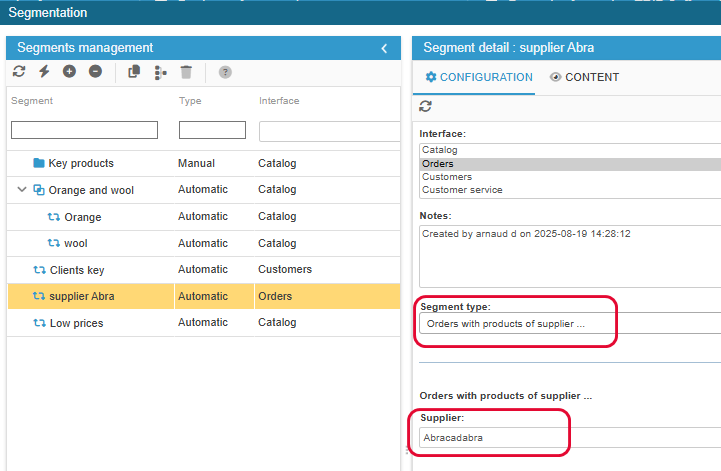
The segment Orders with products of supplier... allows you to analyse sales of products from a specific supplier.
🧑🏼💻Example of a Customer segment
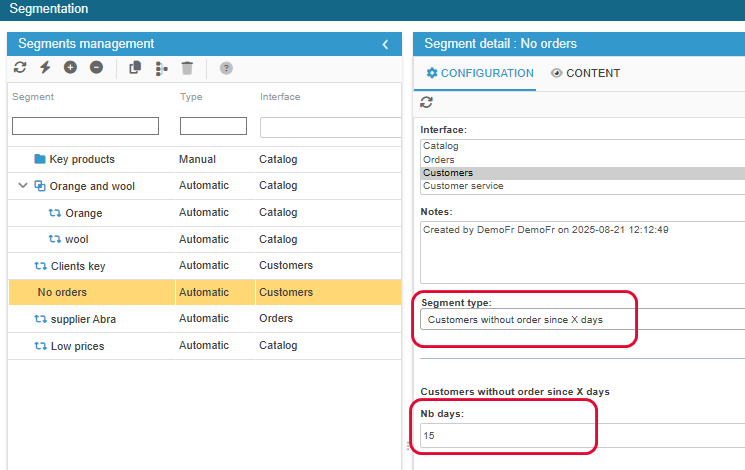
The segment Customers without orders for X days allows you to obtain a list of these customers, contact them by email and offer them a discount if necessary.
Example of linking segments
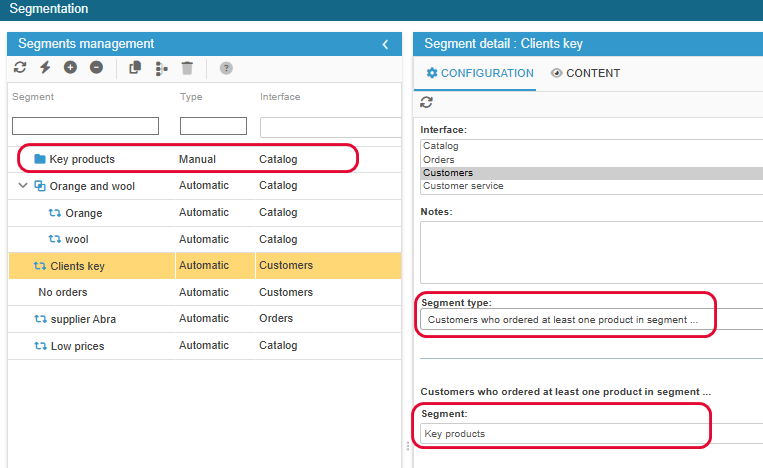
It is possible to link segments together, which allows you, for example, to obtain a list of customers who meet the criteria of another segment.
Here, the segment ‘Customers who have ordered a product from the segment...’ allows you to link the manual segment created previously:
Example of a regrouping segments
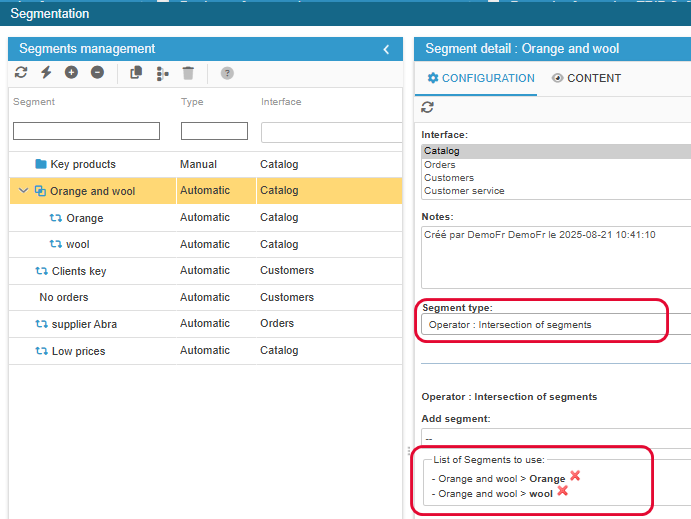
The principle of segmentation is to create segments based on a criterion. You can then create segments to group individual segments together using segment operators!
In fact, you can obtain the result of several segments in one with the three options available:
- union: contents of segment A + content of segment B
- intersection: common elements of segment A + segment B
- substraction: elements of segment A minus the elements of segment B
In this example, we want the list of products that have an Orange combination attribute and the Wool feature. We obtain this result in the third segment using the Intersection Operator type.
Find more examples in this article.
🎥 The webinar
A webinar dedicated to the segmentation tool is available as a replay on this page of our website.
The Segmentation tool is available in the Solo PLUS and MultiStore PLUS plans.