Importing products in multiple languages
Store Commander's integrated CSV Import tool allows you to integrate new products or modify them in several languages in just a single import process.
The mapping options allow you to select the language in which you wish to add or modify your products using the “Options” column in the mapping.
The fields that can be imported in different languages are as follows:
product name
short description (summary)
description (long text)
availability message when products are in stock
availability message when products are in stock
meta title
meta description
meta keywords
tags
You can add translations by importing them as soon as you create your products, adding a column for each language, for example:

The corresponding language will then be selected in the Options column of the import mapping:
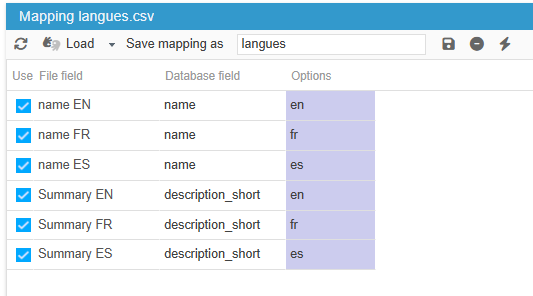
The only requirement when creating products in multiple languages is that the EN name must appear before any other language columns - this is the default language for the shop.
If your products already exist and you want to translate the information, you can create a CSV file with the columns you want to translate, which will simplify the translation process.
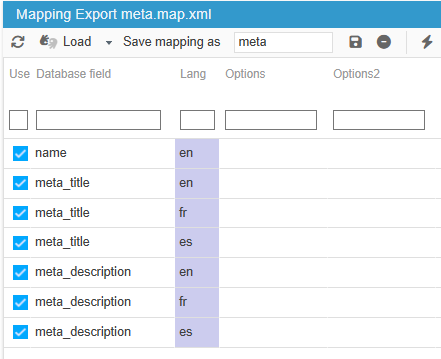
All language fields are also available in Store Commander's CSV export, which you can then import to apply your translations.
🔎 Ideal, for example, for optimising your shop's SEO by exporting/importing SEO fields in all languages available on your shop!