Specific Prices (window): Adding a field from a table outside the specific prices table
Prerequisites
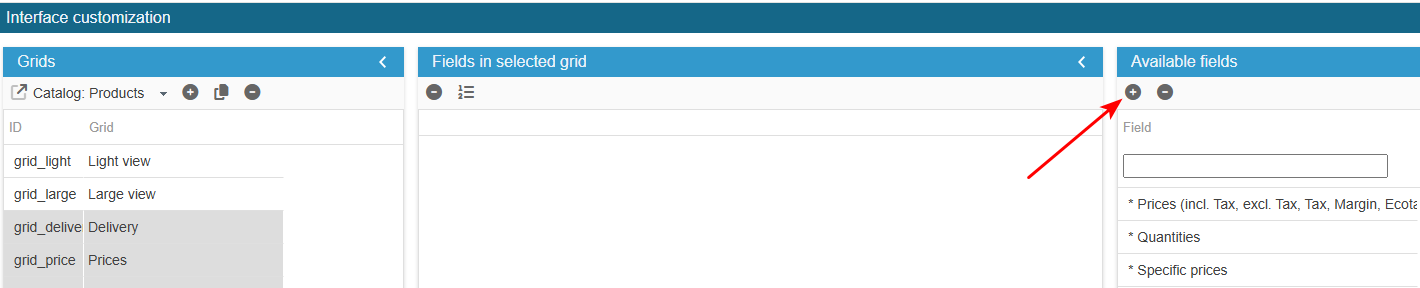
Access the PRO section of the tool to add custom fields:
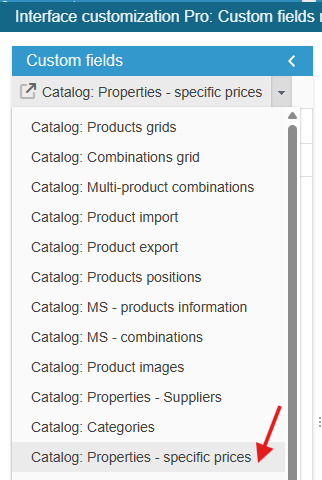
Ensure you select the right grid : ‘Catalog: Properties – specific prices’:
Add the field
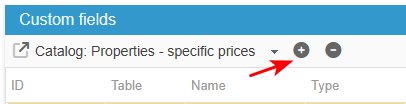
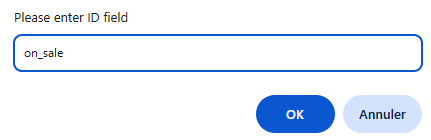
Click on the add icon to create the new field line and enter its ID on_sale.
It should be exactly the name as it is in the database
Setup
Sc creates the field, you now need to populate the grid with:
From the Advanced Properties panel on the right handside:
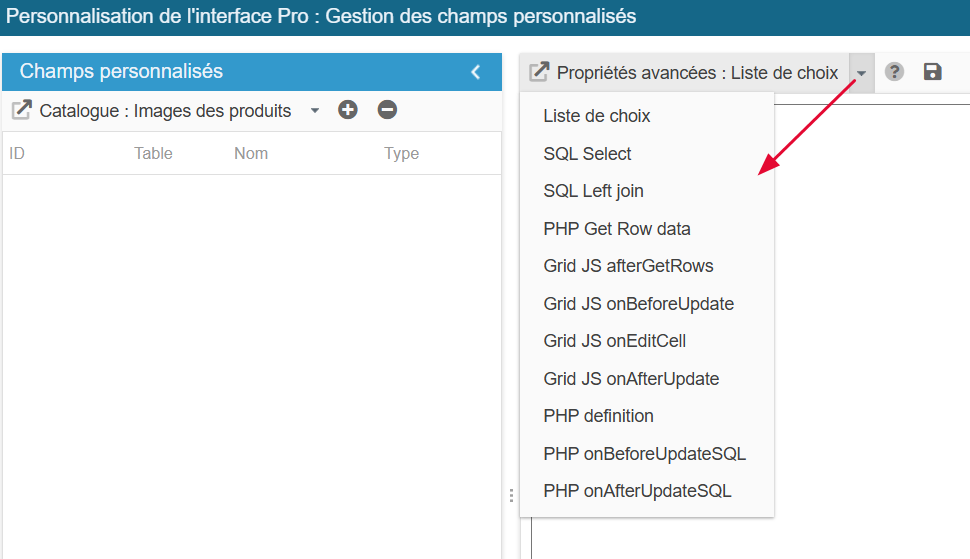
Select the menu List of choices (if field type is 'multiple choices, otherwise leave blank) and enter :
return array(0=>_l('Aucune'), 1=>_l('Valeur 1'), 2=>_l('Valeur 2'));Select in the menu SQL Select and enter :
return ' ,mt.mon_champ';Copiez/collez le contenu ci-dessous dans le menu SQL Left Join et enregistrez :
return " LEFT JOIN "._DB_PREFIX_."ma_table mt ON (mt.id_product= p.id_product)";Copiez/collez le contenu ci-dessous dans le menu PHP onAfterUpdateSQL et enregistrez :
if (isset($_POST["mon_champ"])) {
    $sql = "SELECT * FROM " . _DB_PREFIX_ . "ma_table WHERE id_product=" . (int)$id_product;
    $res = Db::getInstance()->ExecuteS($sql);
    $mon_champ = (int)Tools::getValue('mon_champ', 0);
    if (count($res)) {
        if ($mon_champ) {
            $sql = "UPDATE " . _DB_PREFIX_ . "ma_table  SET mon_champ=" . (int)$mon_champ . "  WHERE id_product=" . (int)$id_product;
            Db::getInstance()->Execute($sql);
        } else {
            $sql = "DELETE FROM " . _DB_PREFIX_ . "ma_table  WHERE id_product=" . (int)$id_product;
            Db::getInstance()->Execute($sql);
        }
    } else {
        $sql = "INSERT INTO " . _DB_PREFIX_ . "ma_table  (id_product,mon_champ) VALUES (" . (int)$id_product . "," . pSQL($mon_champ) . ")";
        Db::getInstance()->Execute($sql);
    }
}
Exit the editing window.
The new field is now present in the list of available fields and you can add it to your Specific Prices window.