GetMyAffiliates: your new ally for winning at affiliate marketing
Become an affiliate marketing expert by using the GetMyAffiliates module available on Store Commander.
GetMyAffiliates has several key features, primarily designed to help merchants increase their sales by leveraging an affiliate network while simplifying commission and payment management:
Affiliate programme management: Allows merchants to create, manage and track a network of affiliates who promote their products on different channels (blogs, websites, social networks, etc.).
Sales and commission tracking: The tool tracks affiliate performance, automatically calculating the commissions generated by each sale made through their intermediaries.
Payment automation: GetMyAffiliates automates payments to affiliates based on sales made, reducing the time spent on manual payment management.
Affiliate performance tracking: It provides detailed reports on affiliate activity (clicks, sales, commissions) to track performance and make informed decisions to optimise the affiliate programme.
Incentives and promotions: You can offer specific commissions, bonuses, or promotional codes to your affiliates to encourage high performance.
Prerequisites
Before installing the module, please ensure:
You have Store Commander installed on your Prestashop shop.
Your version of Prestashop is compatible with the module (minimum 1.6.1.x).
You have access to the back office of your Prestashop shop.
Set-up steps :
Access the module:
Go to Modules > Module catalogue from the Prestashop back office.
Search for GetMyAffiliates.
Set-up :
Click on Install.
If you already have Store Commander, GetMyAffiliates will be installed as a Store Commander extension.
Otherwise, it will be installed as a standard Prestashop module.
Checking the set-up:
Once installed, you will find GetMyAffiliates in the Marketing menu of Store Commander.
The interface
GetMyAffiliates interface includes 5 tabs.

Now, let's see how to setup your affiliation program with GetMyAffiliates.
Configuration
This is where you start setting up the affiliation program.
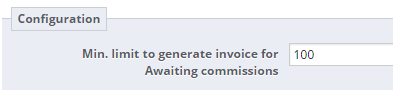
Here you can setup the threshold partners have to reach to request payment of their commissions.
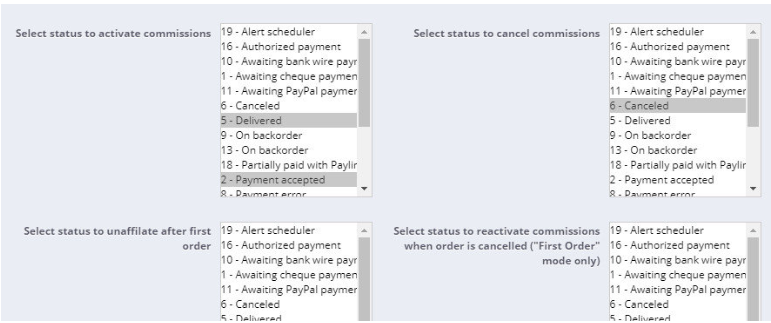
There are also some actions on commissions according to the orders statuses :
GetMyAffiliates includes an option entitled 'Should the new partner code received replace the current partner code for an affiliate?'
This option should be used in the following case:
You have two affiliate partners: site A and site B
A visitor goes to site A and clicks on one of your banners (with the code SITE-A in the URL) and registers on your site. They become an affiliate of partner site A
The same visitor goes to site B and clicks on one of your banners (with the code SITE-B in the URL).
In this case, should the code received (SITE-B) replace the code (SITE-A)?
Yes, tick the option > No, do not tick the option
Adding a partner
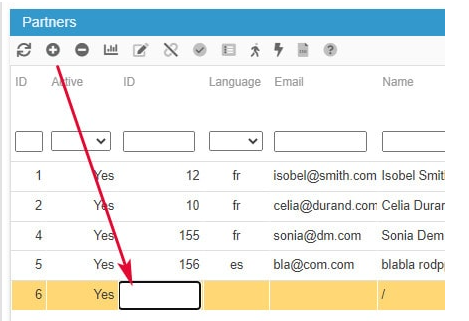
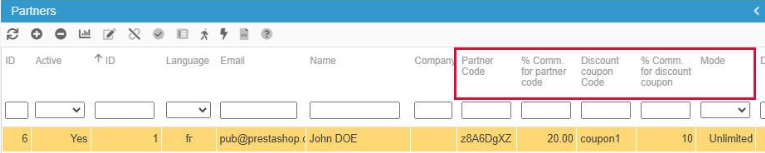
From the Affiliation Manager tab, Affiliate Partners panel, click on the add icon ➕.
A new line is then created where you need to enter the partners ID in the 'Customer' column.
The name of the partner is then automatically displayed, and a random partner code is generated as well as 10% commission applied. You can then modify the information by double clicking the corresponding cells to edit them.
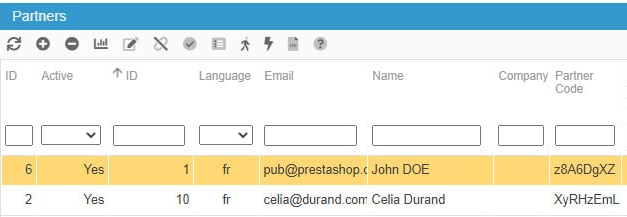
Setting up the partners reduction codes and percentage
GetMyAffiliates allows you to setup a partner code with a commission percentage AND/OR a coupon code with a commission percentage. Note that a random partner code is generated automatically when the partner is added.
Both percentages can therefore be different for the same partner, but both are not cumulative, even if the affiliate (the customer) orders with the coupon code using the tracking URL.
The coupon code will always have priority and the commission % setup on the coupon code will be applied.
Adding banners
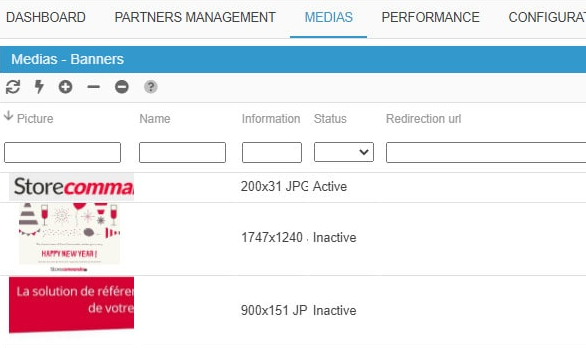
This is under the Media tab that you add the banners your partners will use to add onto their website. The banners includes the tracking URL to register the sales and generate commissions.
You can enable and disable banners and also add a specific redirection URL on a image of your choice.
Visualizing the partners affiliates and their orders
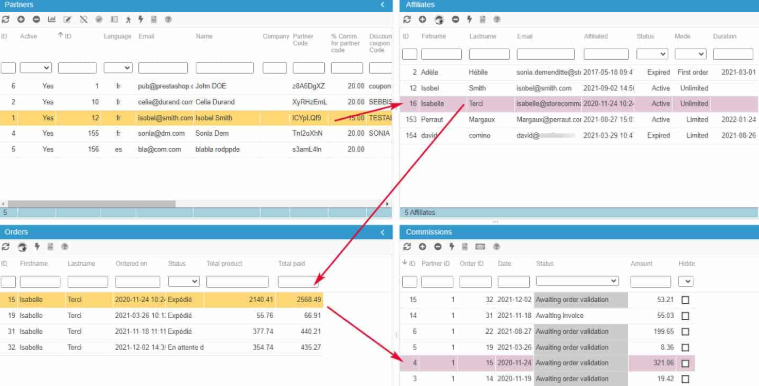
Within the Affiliation Manager, you can see the list of the partner's affiliates in the panel of the same name when selecting a partner (on an orange background) (in the Affiliate Partners panel).
In this panel, you can modify the affiliates statuses and commissioning mode.
The affiliates orders are displayed in the 'orders' panel when the affiliate is selected (on an orange background). Note that multiple affiliates can be selected at the same time, and all associated orders will also be displayed automatically in the corresponding panel.
Managing the partners commissions
Following the same principle, all commissions are displayed in the 'Commissions' panel when a partner is selected. Multiple partners can also be selected and all associated commissions are instantly displayed..
A color code is used when an affiliate is selected: the commissions associated to the orders are highlighted in pink in the Commissions panel. The multi-selection can also be applied in this instance.
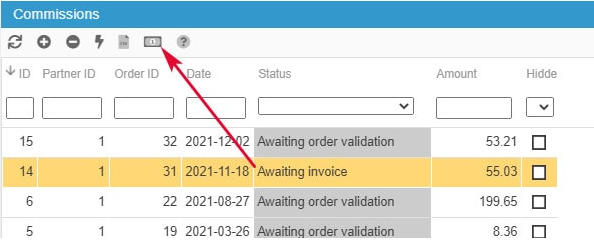
To quickly pay all 'invoiced commissions', you simply filter by 'invoiced' status and hit the corresponding icon :
Following your affiliation program performances
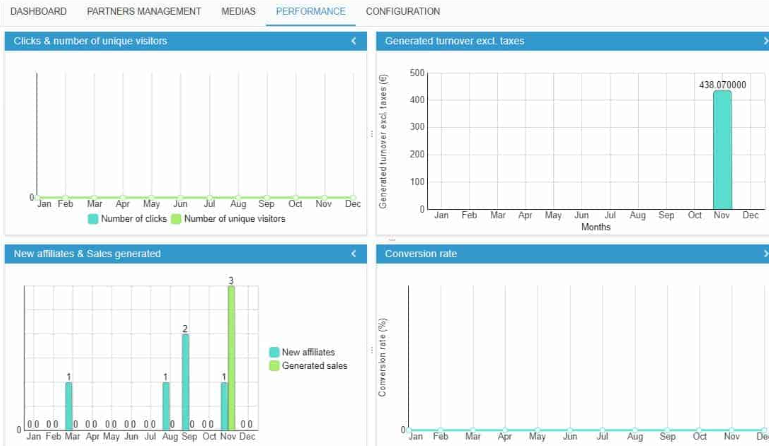
GetMyAffiliates not only gives you financial indicator on the Dashboard, the Performance tab displays various simple and easy to read statistics charts.
Exporting data
GetMyAffiliates allows you to quickly export data from the Affiliation Manager panel onto a spreadsheet.
Indeed, this option is located on the toolbar of all 4 panels by the CSV icon. You simply need to click on it to then copy/paste the information displayed in the panel onto a spreadsheet.
In Multistore mode
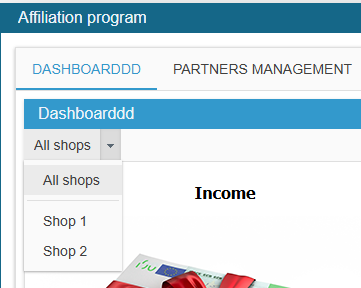
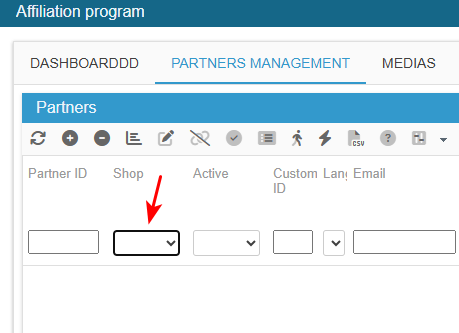
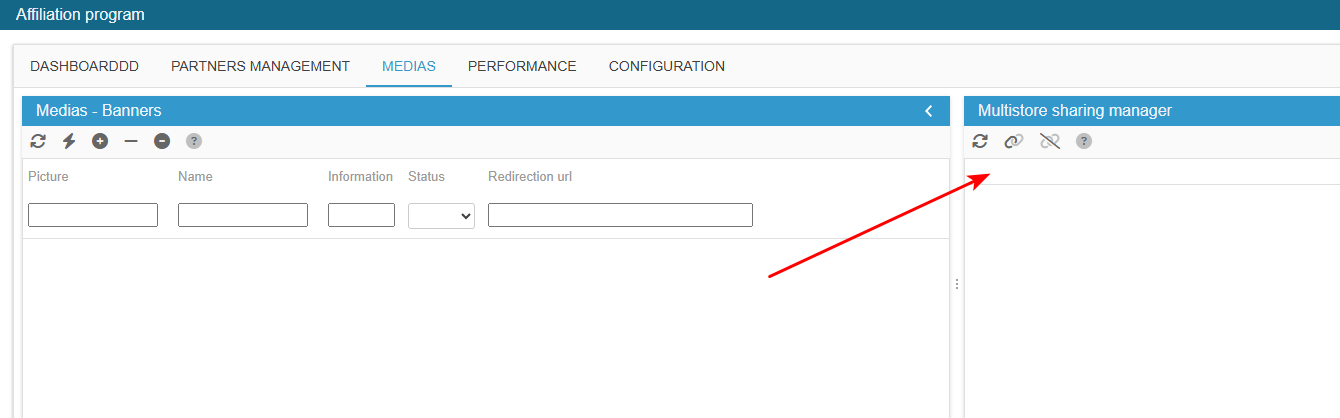
If you are working in multistore mode, GetMyAffiliates allows you to display the information for a specific store, simply by selecting it in the available drop down list.
This option is available in all tabs of the interface as a drop down menu or as a 'shop' column in the panels, like in the Affiliation Manager:
Conclusion
As you can see, GetMyAffiliates is a powerful module for managing affiliate programmes on a PrestaShop store. It simplifies affiliate management, commission allocation and payment automation. By offering tools to track performance and optimise affiliate relationships, it enables e-merchants to effectively develop their affiliate network and increase sales without adding to the administrative burden.