Product Grid: Adding 'Image URL'
Instructions for adding a column to your Sc interface, indicating the default image URL
Prerequisites
Access the PRO section of the tool to add custom fields:
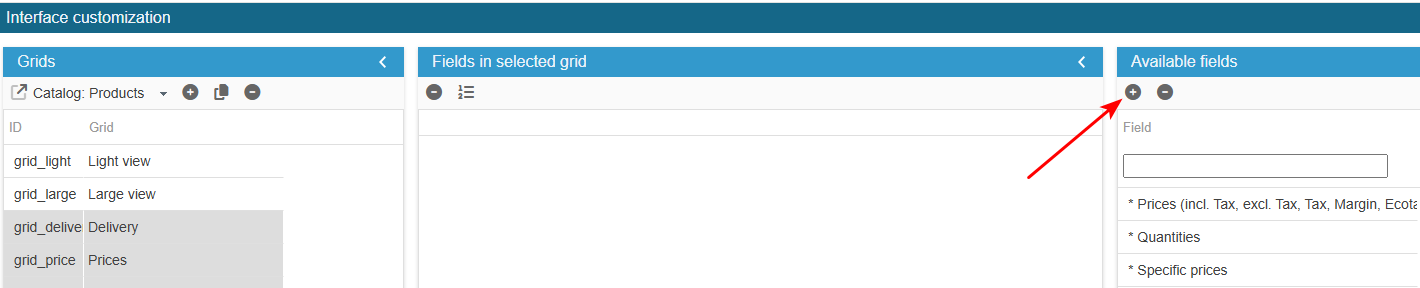
Ensure you select the right grid : ‘Catalog: Products grids’:
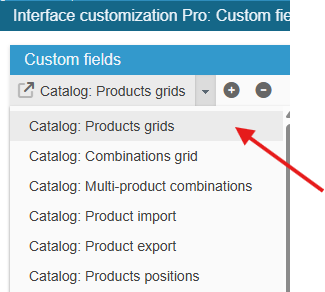
To add the field to the list of available fields for your grids, click on the in the 'Add a field' panel and enter the following information:
What is the field ID?: image_link
Sc creates the field, you now need to populate the grid with:
In the Advanced Properties panel on the right handside:
- select the menu PHP Get Row Data and enter:
if($col === 'image_link') { $link = new Link(); $shoplink = $link->getBaseLink(SCI::getSelectedShop(),true); $prodrow[$col] = $shoplink.'img/p/'.getImgPath((int) $prodrow['id_product'], (int) $prodrow['id_image'], _s('CAT_PROD_GRID_IMAGE_SIZE'));}Finally, register the configuration :
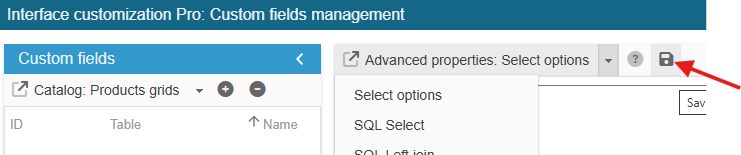
Exit the editing window.
The new field is now present in the list of available fields and you can add it to your product grids.