Products Grid: Added a calculated column "Volume in cubic meters (m³)"
Prerequisites
Access the PRO section of the tool to add custom fields:
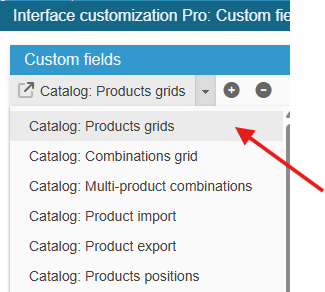
Ensure you select the right grid : ‘Catalog: Products grids’:
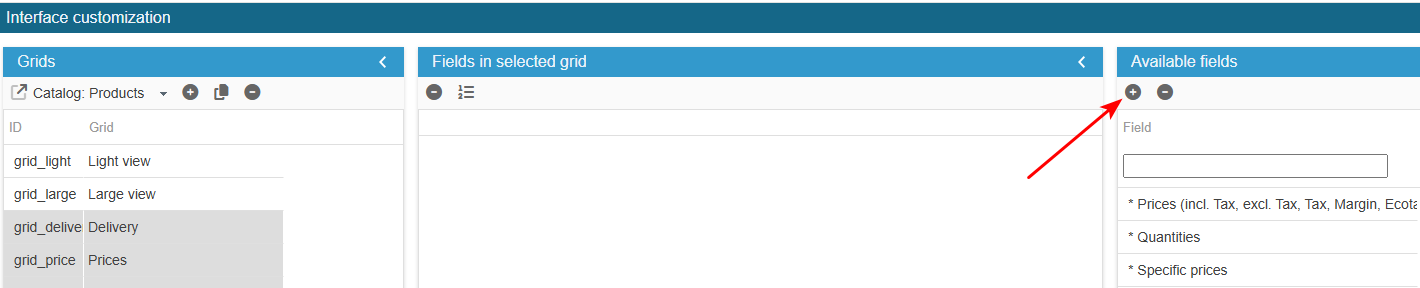
To add the field to the list of available fields for your grids, click on the in the 'Add a field' panel and enter the following information:
What is the field ID?: v_m3
Sc creates the field, you now need to populate the grid with:
The formula for calculating this field is as follows: Width x Height x Depth / 1000000
For a calculated field, we have two options:
SQL: the field can be used on all product grids
PHP: the field can only be used if the necessary fields (Width, Height, Depth for our example) are present in the grid.
Either : SQL→ from the Advanced Properties panel on the right handside, select the menu SQL Select and enter:
return ' , ((p.`width`*p.`height`*p.`depth`)/1000000) as v_m3';Or : PHP → from the Advanced Properties panel on the right handside, select the menu PHP Get Row data and enter:
if($col == 'v_m3'){
    $prodrow[$col] = (float)((float)$prodrow['width']*(float)$prodrow['height']*(float)$prodrow['depth'])/1000000;
}
Please note the $prodrow variable contains all the fields of the grid with their final value.
Save on the toolbar, and exit the editing window.
The new field is now present in the list of available fields and you can add it to your product grids.
* calculated for display. Is not stored in database.