Products Grid: Adding a field from ps_product_lang table
Prerequisites
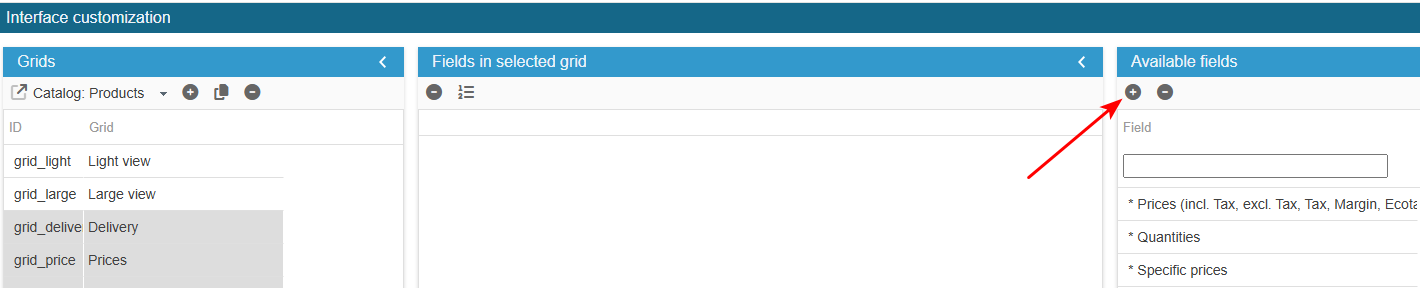
Access the PRO section of the tool to add custom fields:
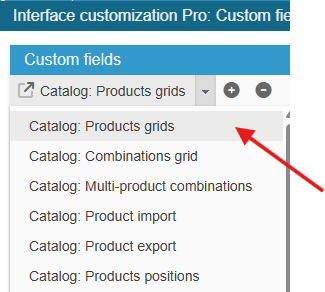
Ensure you select the right grid : ‘Catalog: Products grids’:
Adding the field
Click on the add icon to create the new field line and enter its ID id_logistician (must match the field name in the database exactly)
SC creates the field, you now need to populate the grid with:
From the Advanced Properties panel on the right handside:
- select the menu Select options and enter:
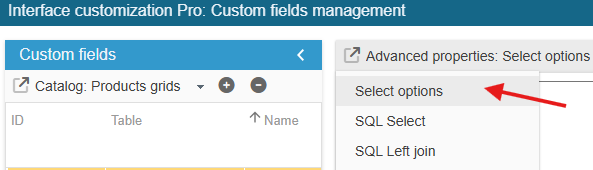
Select the menu Select options and enter :
return array(1=>_l('Yes') , 0=>_l('No'));Please note that you can rename the fields displayed in the Sc interface by changing the values in brackets, for example:
return array("value 1"=>"Text 1" , "value 2"=>"Text 2");Finally, register the configuration :
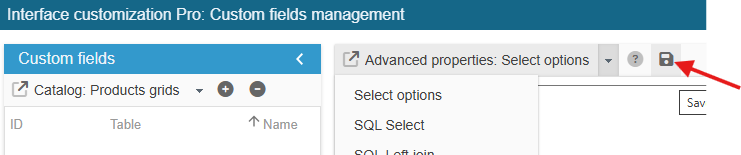
Exit the editing window.
The new field is now present in the list of available fields and you can add it to your product grids.