Products Grid: Adding a field from a table outside the products table (editable)
Prerequisites
Access the PRO section of the tool to add custom fields:
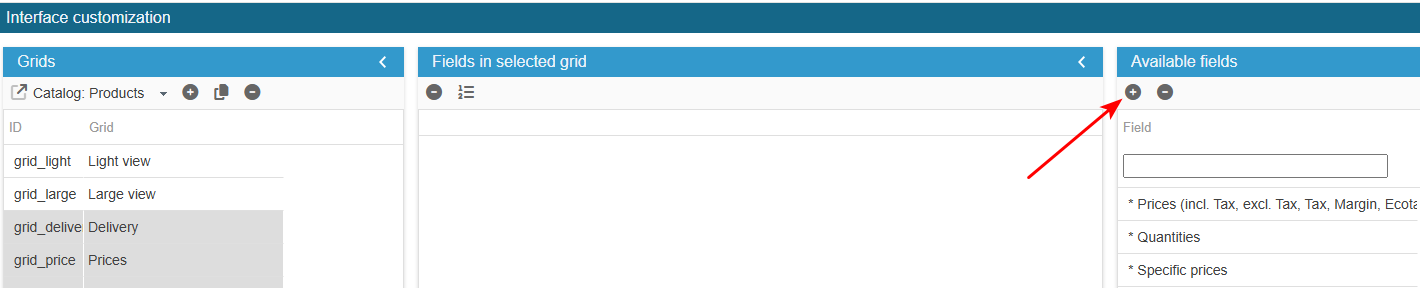
Ensure you select the right grid : ‘Catalog: Products grids’:
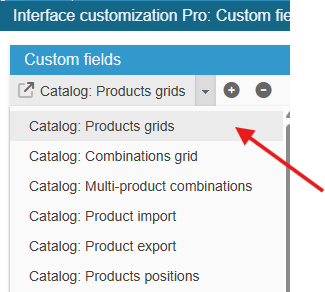
Adding the field
Click on the add icon to create the new field line and enter its ID specific action (must match the field name in the database exactly)
SC creates the field, you now need to populate the grid with:
In this example we suppose that table ps_specific_action includes the following fields:
id_specific_action, id_product, specific_action
From the Advanced Properties panel on the right handside:
- select the menu Select options and enter:
return array(0=>_l('Aucune'), 1=>_l('Colis fragile, emballer avec carton A1'), 2=>_l('Colis long, emballer avec carton B3'));- select the menu SQL Select and enter:
return ' ,sact.specific_action';- select the menu SQL LeftJoin and enter:
return " LEFT JOIN "._DB_PREFIX_."specific_action sact ON (sact.id_product= p.id_product)";- select the menu PHP onAfterUpdateSQL and enter:
if (isset($_POST["specific_action"])) {
    $sql = "SELECT * FROM " . _DB_PREFIX_ . "specific_action WHERE id_product=" . (int)$idproduct;
    $res = Db::getInstance()->ExecuteS($sql);
    $specific_action = (int)Tools::getValue('specific_action', 0);
    if (count($res)) {
        if ($specific_action) {
            $sql = "UPDATE " . _DB_PREFIX_ . "specific_action SET specific_action=" . (int)$specific_action . "  WHERE id_product=" . (int)$idproduct;
            Db::getInstance()->Execute($sql);
        } else {
            $sql = "DELETE FROM " . _DB_PREFIX_ . "specific_action WHERE id_product=" . (int)$idproduct;
            Db::getInstance()->Execute($sql);
        }
    } else {
        $sql = "INSERT INTO " . _DB_PREFIX_ . "specific_action (id_product,specific_action) VALUES (" . (int)$idproduct . "," . (int)$specific_action . ")";
        Db::getInstance()->Execute($sql);
    }
}
Exit the editing window.
The new field is now present in the list of available fields and you can add it to your product grids.