Products Grid: Adding a field 'Combination yes/no'
Prerequisites
Access the PRO section of the tool to add custom fields:
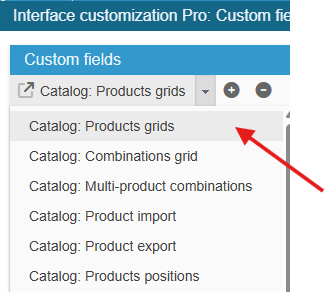
Ensure you select the right grid : ‘Catalog: Products grids’:
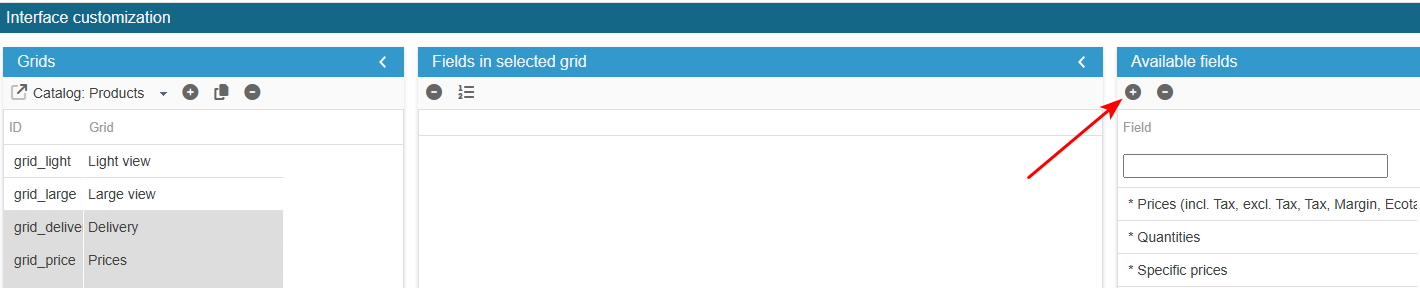
To add the field to the list of available fields for your grids, click on the in the 'Add a field' panel and enter the following information:
What is the field ID?: has_combi
SC creates the field, you now need to populate the grid with:
In the Advanced Properties panel on the right handside :
- select SQL Select and add:
return ' , 0 AS has_combi ';- select PHP Get Row data and add:
if ($col == "has_combi") {
    $value = Db::getInstance()->getValue("SELECT IF(COUNT(*)>0, '" . pSQL(_l("Yes")) . "', '" . pSQL(_l("No")) . "') FROM " . _DB_PREFIX_ . "product_attribute WHERE id_product=" . (int)$prodrow['id_product']);
    $prodrow[$col] = (string)$value;
}
Exit the editing window.
The new field is now present in the list of available fields and you can add it to your product grids.
To use the choice list, select 'multiple choice' in the Type column (Type A) for your field.