Product Grid: Adding 'Default category'
Prerequisites
Access the PRO section of the tool to add custom fields:
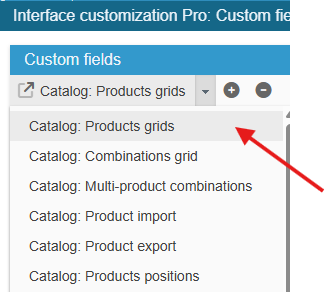
Ensure you select the right grid : ‘Catalog: Products grids’:
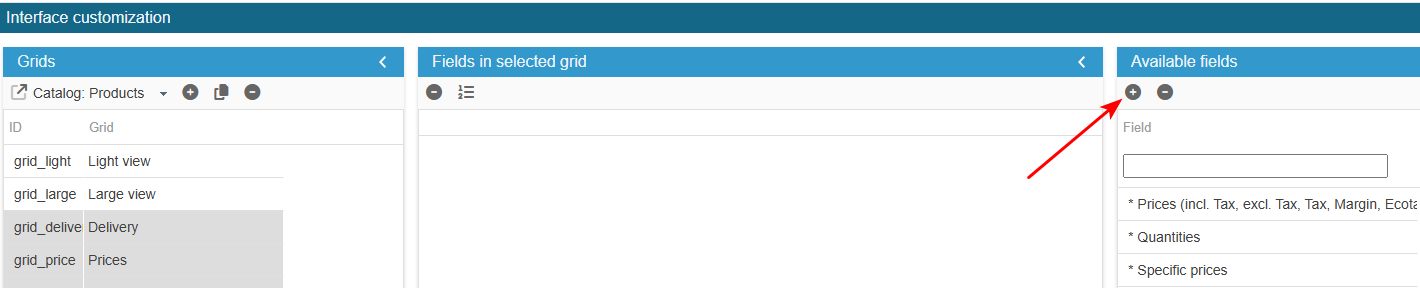
To add the field to the list of available fields for your grids, click on the in the 'Add a field' panel and enter the following information:
What is the field ID?: category_default
Sc creates the field, you now need to populate the grid with:
In the Advanced Properties panel on the right handside:
- select the menu SQL Select and enter:
return ', cl.`name` AS category_default';- select the menu SQL Left join and enter:
return ' LEFT JOIN '._DB_PREFIX_.'category_lang cl ON cl.id_category = prs.id_category_default AND cl.id_lang = pl.id_lang AND cl.id_shop = pl.id_shop ';Finally, register the configuration.
Exit the editing window.
The new field is now present in the list of available fields and you can add it to your product grids.