Products Grid: Adding a Product Display SQL condition: WHERE
We would like to restrict the display of products in one view. For example, in a view called 'Brand XY' that you would have created beforehand, we would display only products associated to this brand.
Note: with Store Commander's User Permissions, you can allow an employee to modify only products associated to a specific brand and he/she will not have access to any other products.
Prerequisites
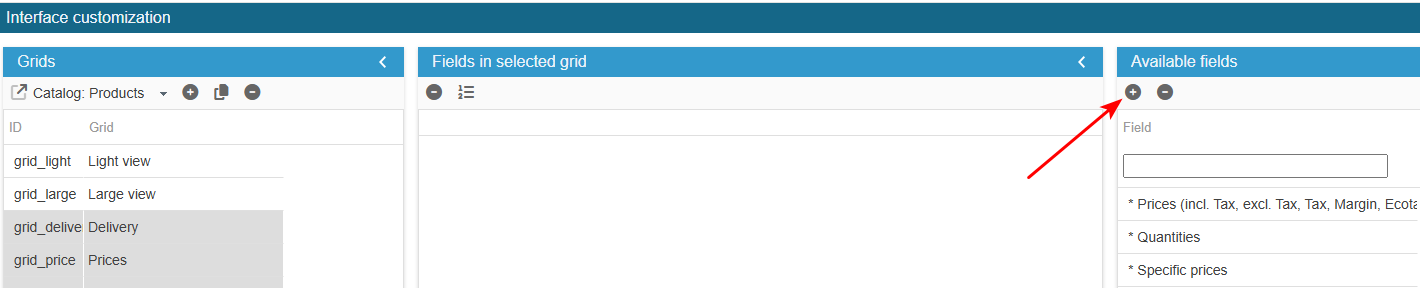
Access the PRO section of the tool to add custom fields:
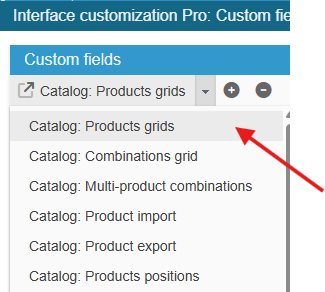
Ensure you select the right grid : ‘Catalog: Products grids’:
In the left-hand column, select the relevant field. If it does not exist, create a virtual field (which does not exist in the database) with the ID testColor (for example).
From the Advanced Properties panel on the right handside:
Select the menu SQL Where and enter:
return " AND p.id_manufacturer = 3 ";In this example id_manufacturer 3 corresponds to 'Brand XY' as per target.
Adapt the code to your specific needs.
Exit the editing window.
The new field is now present in the list of available fields and you can add it to your product grids.